
Gravity Fall Down Text
Turn your words into a playful, interactive pile. Gravity Fall Down Text brings draggable, throwable text pills to Squarespace with realistic physics, five themes, and custom colors.
 Built for Squarespace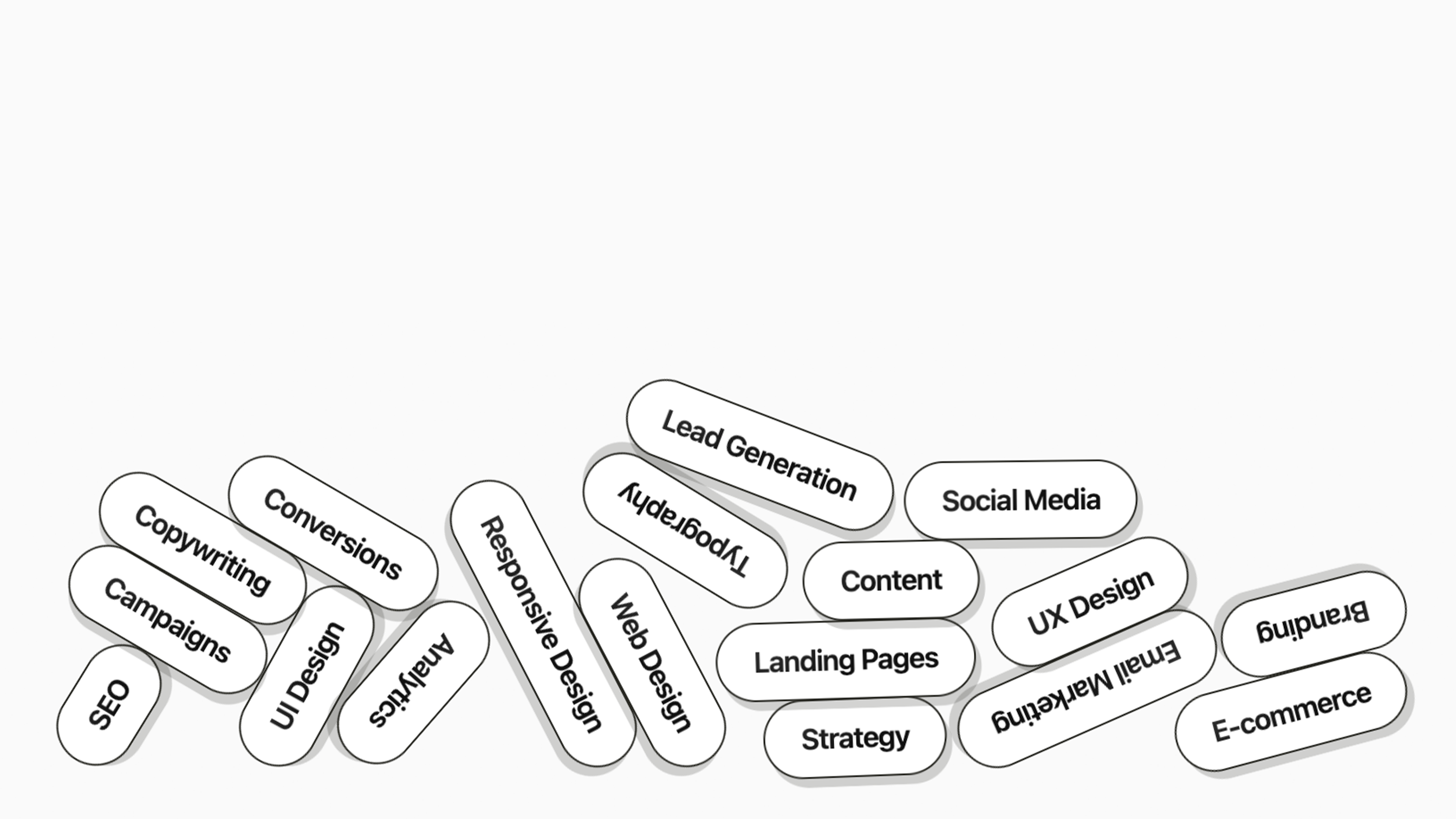
Give your services, skills, or brand keywords a little gravity. Gravity Fall Down Text transforms text into animated pills that fall, bounce, rotate, and stack. Visitors can grab and throw individual pills, tap to pop them upward, or press and hold to push nearby words around. Make it your own with five preset themes: Paper, Midnight, Candy, Mono, and Forest. Create a custom palette with up to four colors, then fine-tune typography, desktop and mobile text sizes, padding, borders, shadows, and gloss. Adjust gravity, bounce, friction, throw strength, and squash effects to set the mood. Choose random, sequential, or simultaneous drops, with optional replay when visitors return to the section. Perfect for showcasing marketing services, design specialties, creative skills, and the words that define your brand.
How your plugin is delivered and accessed after purchase.
Instant Access
Plugin Studio will unlock after purchase or joining Ghost+.
No Downloading Files
No download files or saving a plugin password file.
Access Anytime
Return to your plugin and guide anytime via your account.
Check compatibility and requirements for using this plugin on Squarespace.
Plugin Setup & Customization
From purchase to installation, Ghost keeps your plugins connected and easy to manage.
- 1
Order or Unlock the Plugin
Purchase the plugin or unlock it with Ghost+. It’s added to your account instantly.
- 2
Customize in Plugin Studio
Adjust content, styles, colors, and more visually, then save your customized plugin as a preset.
- 3
Save Your Plugin
Save your plugin as a preset to a Workspace to manage plugins, upload files, and more.
- 4
Connect To Squarespace
Connect your Workspace to Squarespace once and every assigned plugin updates automatically.
Ghost Tools Included for Everyone
Customize, manage, install, and hand off plugins with Ghost Suite.
SquarespaceCustomize Without Code.
Add to Squarespace in 60 Seconds.
We've changed how Squarespace plugins work. Customize visually with simple controls, see your changes live, save plugin designs as presets, and add to Squarespace in seconds.
- No Code Customization
- Live Visual Editing
- No Extensions Required
Meet Plugin Studio.Customize visually with simple controls, see your changes live, and add them to Squarespace in seconds.No Coding RequiredLive Visual EditingNo AI Prompting
 Plugin Studio
Answers to questions about plugin setup, customization, and troubleshooting.