
Gradient Buttons
The original library, featuring hundreds of free copy-and-paste plugins for Squarespace. These legacy plugins are preserved as they were originally released and are available as-is. For no-code plugins with visual editing and live previews, explore the current plugin library.
Overview
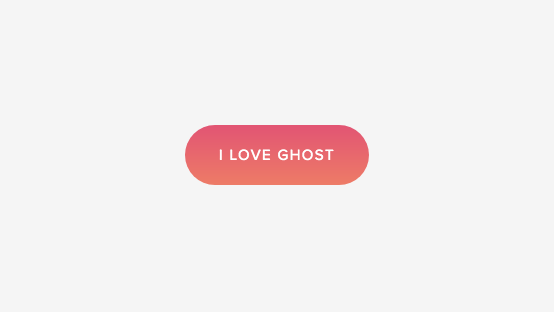
Add a gradient color to any button block. This plugin uses css editor and works with all template families.
Plugin Delivery
This is a free plugin from the original Ghost Plugins library. Copy the code below and paste it into your Squarespace site. No purchase or account needed.
Squarespace Compatibility & Requirements
Compatibility notes preserved from the original release.
Customizable Options
- Replace both #000000 and #ffffff with the color codes of your choice. Visit UI Gradients or Colorzilla for help with generating gradient color codes and patterns. Both of these sites make it super easy!
- The code works for the medium button block. If you want to modify a small or large button, replace .sqs-block-button-element--medium with .sqs-block-button-element--small or .sqs-block-button-element--large.
Install
Legacy plugins install by hand, there is no Plugin Studio build for this one.
- 1Copy the code from the Code Documentation section below.
- 2In Squarespace, open Website, Pages, Website Tools, Custom CSS for CSS, or Settings, Advanced, Code Injection for HTML and JavaScript.
- 3Paste the code, save, then refresh your site to see the plugin running.
Code Documentation
Add a button to any page with a solid or raised style.
Once a button has been added and saved, go to the Custom CSS Editor. There are two styles available. Copy and paste one of the codes below into the Custom CSS Editor box.
// Gradient Button From Top To Bottom //

.sqs-block-button .sqs-block-button-element--medium {
 background: grey;
 background: -webkit-linear-gradient(to top, #0000000, #ffffff);
 background: linear-gradient(to top, #000000, #ffffff);
}

// Gradient Button From Left To Right //

.sqs-block-button .sqs-block-button-element--medium {
 background: grey;
 background: -webkit-linear-gradient(to left, #0000000, #ffffff);
 background: linear-gradient(to left, #000000, #ffffff);
}
Classes and Styling
Selectors and variables this plugin uses, target them in Custom CSS to restyle it.
--medium.sqs-block-button.sqs-block-button-element--mediumFAQ
Answers to common questions about setup, customization, and troubleshooting.
Is this plugin free?
Yes. Legacy plugins are free to use on any site, no account or purchase needed.
Will it work on my Squarespace version?
Legacy plugins were built for the version noted in Squarespace Compatibility & Requirements and are provided as-is. Newer platform changes may require small tweaks.
Can I customize it?
Yes. Edit the values in Script Settings or override the selectors listed under Classes and Styling in your Custom CSS.
Do you support legacy plugins?
Legacy plugins are no longer updated. For maintained plugins with Plugin Studio and ongoing support, browse the current plugin library.
Changelog
A history of updates released for this plugin.
Original release
Archived exactly as it shipped in the original plugin library. No further updates are planned for legacy plugins.
Recommended
Want the current Ghost experience?
Explore the current plugin library for plugins with live previews, built-in customization options, Plugin Studio editing, easier installation, and ongoing updates designed for the latest Ghost experience.
Browse Current Plugins →Community
Give claps, share your site, and talk with others using this plugin.
0 claps
Show thanks for this plugin.
Give Claps and Join The Conversation
Sign in to give claps and join the conversation.
Loading…